
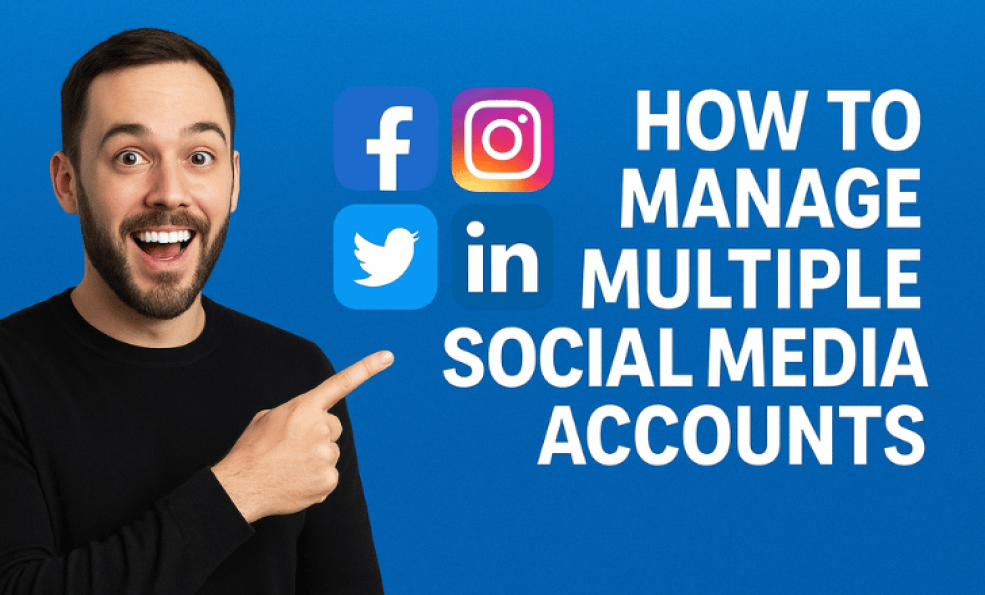
How to Manage Multiple Social Media Accounts
You're managing Instagram for your brand. You're managing LinkedIn for yourself. You're managing TikTok for your clients. You're managing Facebook for three different business pages. You're managing Twitter for your personal account and your company account.
“Managing multiple social media accounts becomes effortless when strategy, tools, and consistency work together.”
By the time you've logged into all these accounts, checked notifications, reviewed what needs posting, and created content, hours have disappeared.
This is the reality for many social media managers, agency owners, and entrepreneurs. They're not managing one account. They're managing five, ten, sometimes twenty accounts across different platforms.
The problem is obvious: you can't manage this many accounts efficiently when each platform has its own login, its own interface, its own scheduling system, its own analytics dashboard.
This is where most people go wrong. They treat each account as a separate problem. They jump between platforms. They duplicate work. They lose track of what they've posted where. They burn out trying to keep up.
But there's a better way. A way to manage multiple accounts efficiently without losing your mind. It requires systems, tools, and strategy. And once you have it, managing ten accounts becomes almost as easy as managing one.
Key Takeaways
- Using unified dashboards reduces account management time by 60 to 80 percent
- Most managers waste 30 to 40 percent of their time jumping between platforms
- Content batching multiplies in value when managing multiple accounts
- Strategic organization is more important than the tools you use
- Template systems can reduce per account setup time by 75 percent
- Multi account management requires different strategies per platform
- Unified reporting across accounts saves 5 to 10 hours per week
- Most failures with multiple accounts come from disorganization, not lack of tools
The Challenge of Multiple Accounts
Before we talk about solutions, let's understand exactly what makes managing multiple accounts so difficult.
The Platform Jumping Problem
Each social media platform has its own ecosystem. Instagram has one interface. LinkedIn has another. TikTok has another. Twitter/X has another. Facebook has yet another.
When you're managing multiple accounts, you're not just managing content. You're managing five different user interfaces, five different navigation systems, five different publishing workflows.
You log into Instagram to post. Then you log out. Then you log into LinkedIn. Different dashboard. Different tools. Different options. Then TikTok. Then Twitter. Then Facebook.
By the time you've posted to five platforms, you've spent forty five minutes just navigating different interfaces. And this is every single posting day.
Multiply this by the number of accounts you have and you can see how the time compounds. Managing five accounts across four platforms means jumping between twenty different account and platform combinations.
The Login and Credential Management Problem
Every account needs login credentials. If you're managing accounts for clients or your company, you need to store these securely. You need to make sure you don't lose access. You need to keep track of which username goes with which account on which platform.
Most people store this information poorly. In a spreadsheet. In a password manager. Written down somewhere. The result is that logging in takes longer than it should. You're searching for credentials. You're trying to remember which email account is associated with which business account.
This is a time sink that most people don't even think about.
The Consistency Problem
Consistency across multiple accounts is almost impossible to maintain manually. You post something to Instagram on Tuesday. Did you post to LinkedIn? Did you adapt it for LinkedIn's audience? Did you post to TikTok? Did you post to Facebook?
By Friday, you've created content for some accounts but not others. Some are on schedule. Some are falling behind. You're scrambling to catch up on the ones you forgot.
This inconsistency is actually worse than slow growth because it trains your audience that you're unreliable. They stop checking your accounts because they don't expect consistent content.
The Analytics Jungle
Each platform has its own analytics dashboard. Instagram analytics shows one thing. LinkedIn shows something different. TikTok tracks different metrics. Facebook has its own system.
To understand how your overall strategy is working, you need to check five different dashboards, take notes, compile the data, and analyze it.
Most people skip this step because it's too tedious. As a result, they're making decisions without data. They're not learning what works. They're just pushing content out and hoping.
The Context Switching Cost
Beyond the practical time issues, there's the cognitive load of constant context switching.
You're thinking about Instagram strategy. You switch to LinkedIn. Now you're thinking about professional content strategy. Different voice. Different audience. Different goals. Then TikTok. Entertainment focused. Then back to Instagram.
Your brain is constantly switching between different contexts, different voices, different strategies. This is mentally exhausting. Your content suffers because you're not in deep focus on any one account.
The Foundation: Organization Systems
Before you even think about tools, you need organizational systems. These are the structures that make managing multiple accounts possible.
Account Matrix System
Create a simple matrix that lists all your accounts across the top and relevant information down the left side.
Columns: Instagram Brand, Instagram Personal, LinkedIn, TikTok, Facebook, Twitter
Rows: Login Email, Password (stored securely), Manager Name, Posting Schedule, Target Audience, Content Pillars, Analytics Goals, Primary Contact
This one document becomes your reference for everything account related. New manager on the team? Here's what they need to know about each account. Forgot your Twitter password? It's in the matrix.
This takes thirty minutes to set up and saves hours throughout the year.
Content Pillars Document
For each account, define what you're going to post about. What are your content themes or pillars?
Maybe your Instagram brand account has pillars around product showcases, customer stories, behind the scenes, and tips. Your LinkedIn personal account has pillars around industry insights, personal lessons, professional advice, and thought leadership.
When it's time to create content, these pillars guide what you create. You're not starting from scratch wondering what to post. You know your pillars and you create within them.
This brings consistency and reduces decision fatigue.
Content Calendar System
A shared content calendar (or calendars) that shows what's posted to each account on each day.
At a glance, you can see that you've posted to Instagram three times this week but LinkedIn only once. You can see that Tuesday is empty across all accounts. You can balance your content across all accounts.
This visibility prevents the scenario where some accounts are posting daily and others haven't had content in a week.
Template Library
Create templates for different types of content on each platform. Templates for announcements, tips, behind the scenes, customer stories, etc.
When you need to create content, you don't start with a blank canvas. You start with a template that's already formatted for the platform, has your brand guidelines built in, and just needs the content filled in.
This reduces creation time per post by 40 to 50 percent.
The Tools: Unified Management Platforms
Once you have organizational systems in place, the right tools make everything easier.
Unified Dashboards
The most valuable tool for managing multiple accounts is a unified dashboard where you can manage all your accounts in one place.
Instead of logging into five different platforms, you log into one dashboard. All your accounts are there. All your scheduling is there. All your analytics is in one place.
This single change reduces the time to manage multiple accounts by half. You're not jumping between platforms. You're navigating one interface.
Cross Platform Scheduling
The best tools let you create one piece of content and publish it across multiple platforms at once.
You write a post. You upload a visual. You select which platforms you want it on. You schedule the publishing time for each platform. One click and you're done.
What used to take forty five minutes now takes ten minutes.
Content Adaptation Features
Smart tools can adapt content for different platforms automatically. You create the post for one platform. The tool adapts it for others.
A square image for Instagram becomes a vertical video for TikTok. A long caption for LinkedIn gets trimmed for Twitter. Different hashtag strategies for each platform. All automatic.
This saves time and ensures each platform gets content optimized for that platform.
Unified Analytics
All your analytics in one dashboard. All your platforms reporting to the same system. You see performance across all accounts at a glance.
Which accounts are performing well? Which need attention? Which platforms are driving traffic? Which content types work best? All visible without jumping between dashboards.
Team Collaboration Tools
If you have a team managing multiple accounts, collaboration features are essential. Can team members see what's scheduled? Can they comment on drafts? Can multiple people work on the same calendar?
Good tools let your team collaborate efficiently without stepping on each other's toes.
Strategy for Managing Multiple Accounts
Having systems and tools is necessary but not sufficient. You also need strategy.
Separate Your Accounts by Strategy
Don't treat all your accounts the same. Each account has different goals, different audiences, different content needs.
Your Instagram might be about community and lifestyle. Your LinkedIn might be about professional authority. Your TikTok might be about entertainment and trends.
Strategy for one account doesn't work for another. Assign each account a strategic direction. Know what you're trying to accomplish with each one.
This prevents the mistake of treating all accounts like the same content should work everywhere.
Batch Content by Account, Not by Day
Instead of batching all content for all accounts on one day, batch by account.
One day create two weeks of Instagram content. Another day create two weeks of LinkedIn content. Another day create TikTok content.
This allows you to enter deep focus on one account at a time. You think about the Instagram audience specifically. You create content optimized for that audience. You get into flow state.
If you're jumping between accounts, you never get into flow. The quality and quantity suffer.
Schedule in Batches, Post Across Days
Create one week of content in a batch. Schedule it across the week at optimal times.
You're creating once in a focused block. You're posting consistently across the week. Your audience sees regular content without you being glued to the platform.
This is the sweet spot between effort and consistency.
Patterns for Different Platforms
Instagram audiences might be most active in the evening. LinkedIn audiences in the morning. TikTok audiences in the evening. Twitter audiences throughout the day.
Schedule each platform at the optimal time for its audience. This gets you better engagement without more effort.
Adapt Content, Don't Duplicate
The temptation with multiple accounts is to just post the same content everywhere. This is a mistake.
Each platform and audience is different. Take your core idea and adapt it for each platform. Same message, different voice. Same insight, different presentation.
This takes slightly more effort but the engagement difference is significant.
Prioritize Which Accounts Get Your Best Content
You might have ten accounts but only three that are really important for your business. Your top three accounts get your best, most thoughtful content. The other accounts get good supporting content.
This lets you maintain quality on what matters most while still maintaining presence on other accounts.
Platform Specific Strategies
Different platforms require different approaches when managing multiple accounts.
Managing Multiple Instagram Accounts
Instagram accounts can be switched between easily in the app, which makes managing multiple accounts less painful than other platforms.
Store content in a content library organized by account. When you post to Instagram Account A, you're pulling from Account A's library.
Instagram allows you to schedule posts natively now, so use that feature. Create content for Account A, schedule it to post over the next week, then move to Account B.
Post consistently to each account even if your followers don't follow all your accounts. Each account needs its own frequency and consistency.
Managing Multiple LinkedIn Accounts
LinkedIn is a bit trickier because you might have a personal account, a company page, and maybe pages for different divisions.
Content from a personal account should be different from company content. Personal accounts can be more vulnerable and authentic. Company pages should be more professional and branded.
Create separate content pillars for each account. Personal accounts might focus on insights and lessons. Company pages might focus on company news and industry expertise.
Schedule all LinkedIn posting through a unified tool since LinkedIn limits native scheduling options.
Managing Multiple TikTok Accounts
TikTok is designed to encourage having multiple accounts. You can switch between them easily in the app.
Different TikTok accounts might have completely different strategies. One might be entertainment. One might be educational. One might be behind the scenes.
The key is knowing the different strategy for each. You're not posting the same content. You're posting different content to different audiences.
TikTok doesn't allow scheduling natively, so you need a third party tool that can schedule for you.
Managing Multiple Twitter/X Accounts
Twitter accounts can be managed through multiple tabs in your browser, or you can use TweetDeck to manage multiple accounts from one dashboard.
Different Twitter accounts might have very different vibes. One might be professional. One might be personal. One might be for a client.
Use threads and scheduling to create content in batches even though you can't schedule natively on Twitter without third party tools.
Managing Multiple Facebook Pages
Facebook makes it relatively easy to manage multiple pages from one account. You can switch between them quickly.
However, Facebook content strategy varies by page type. A personal page is different from a business page. A business page is different from a community page.
Create different content strategies for each type of page. Don't assume what works for a business page works for a community page.
Use Facebook's built-in scheduling feature to schedule posts. Use a unified dashboard tool to schedule across multiple pages at once.
Conclusion
Managing multiple social media accounts doesn't have to be chaotic. It doesn't have to consume your entire life. It doesn't have to result in inconsistency and low engagement.
With the right systems, the right tools, and the right strategy, managing ten accounts can be almost as easy as managing one.
The key is treating it as a system, not as separate problems. Create organizational systems. Choose unified tools. Develop strategy for each account. Batch your content. Schedule consistently. Review regularly.
Start with these fundamentals. Add tools that make your life easier. Build templates that accelerate your work. Create processes that scale.
Before you know it, you'll be managing multiple accounts with confidence and consistency. Your audience will see regular, quality content. Your analytics will show growth. And you'll have time for other important work.
Multiple account management is a skill. Like any skill, it gets easier with practice and better systems.
Start building your system today.
Share This post
Recent Blog Post
Why Scheduling Content Boosts Productivity
06 Oct, 2025

Create Scroll-Stopping Social Media Posts With AI
06 Oct, 2025