
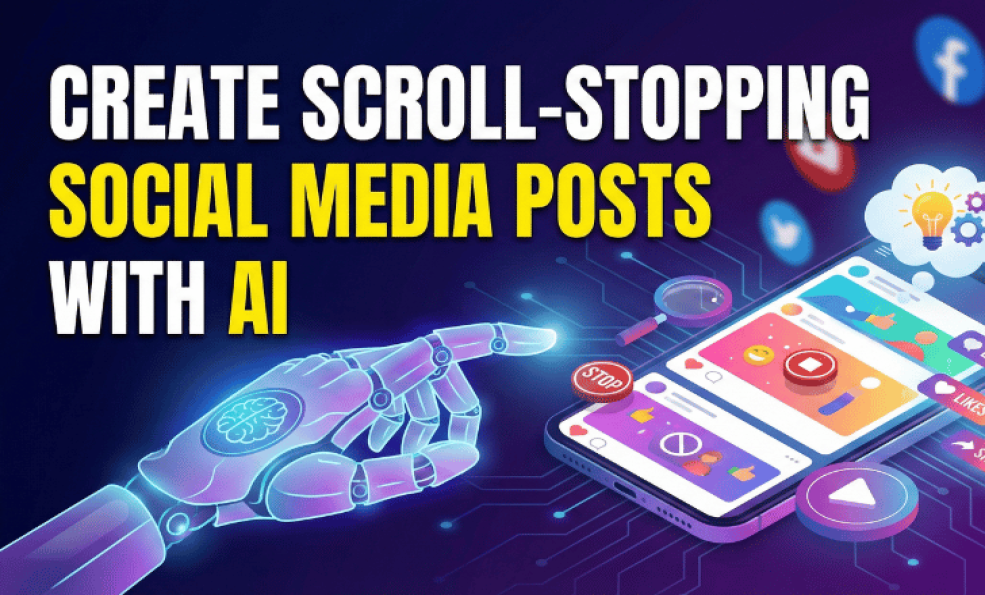
Create Scroll-Stopping Social Media Posts With AI
Your audience is scrolling. Fast. They're swiping through dozens of posts every single minute. Most of them don't even register. They just disappear into the digital void, never to be seen again.
AI doesn’t replace creativity, it enhances it, helping you create scroll-stopping posts faster and smarter.
This is the harsh reality of social media in 2025. Attention is the scarcest commodity. You have maybe half a second to stop someone from scrolling past your content. Half a second.
That's not enough time to explain your value proposition. It's not enough time to tell your story. It's barely enough time to register that something interesting exists. Which means your post has to be immediately arresting. It has to make people stop and pay attention before they even know why they're stopping.
Here's the frustrating part: most people have no idea how to do this. They post things they think are interesting and wonder why nobody engages. They don't realize that interesting to you is not the same as scroll-stopping to a stranger scrolling through their feed.
But here's the good news: creating scroll-stopping posts is actually a learnable skill. And AI tools can help you do it much better, much faster.
Key Takeaways
- The first half second of your post is all you have to stop the scroll
- AI can analyze patterns in top-performing content and generate attention-grabbing variations
- Contrast is the primary attention mechanism on social media feeds
- Emotional hooks work better than rational hooks for stopping scrolls
- Visual hierarchy matters more than the complexity of your visuals
- AI tools can test multiple variations and help you identify what actually works
- Personalization to your specific audience increases stop rate by 40 percent or more
- The scroll-stopping formula differs by platform
Psychology of the Scroll
Before we talk about how to create scroll-stopping posts, we need to understand what actually makes someone stop scrolling.
The Attention Economy
Your audience's brain is in a constant state of filtering. They're scrolling, their brain is processing thousands of data points per second, and it's making microsecond decisions about what deserves attention.
Most posts don't meet the threshold. They get filtered out immediately. But some posts break through. They create a signal that the brain recognizes as worth stopping for.
This happens at a subconscious level. People don't consciously think about stopping. They just do. Something caught their brain's attention and the scrolling stopped automatically.
The posts that succeed are the ones that tap into what the human brain is naturally programmed to notice. Movement. Color contrast. Faces. Emotional expressions. Unexpected information. These are things humans are hardwired to pay attention to.
The Contrast Principle
Here's the most important principle for scroll-stopping: contrast.
Contrast is anything that stands out from what came before it. If your entire feed is flat, static images with normal text, a bold video stops the scroll. If everyone is posting polished, professional content, raw, authentic content stops the scroll. If everyone is being serious, humor stops the scroll.
The key is to create something that contrasts with what your audience just saw. This contrast is what triggers the attention response.
AI can help you identify what creates contrast for your specific audience. It can analyze your feed and surrounding content to understand what stands out. It can suggest variations that create the contrast that works for your audience.
Emotional Triggers
The second most important principle is emotional engagement. Posts that trigger emotion stop scrolls faster than posts that trigger thought.
Surprise stops the scroll. Curiosity stops the scroll. Recognition stops the scroll. Humor stops the scroll. Even mild anger or frustration stops the scroll because emotion is attention grabbing.
Rational arguments don't stop scrolls. Nobody stops scrolling because someone made a logical point. But they absolutely stop scrolling if something triggers an emotional reaction.
This is why emotional hooks work better than rational hooks in social media. Your post needs to make people feel something, not think something.
The Anatomy of a Scroll-Stopping Post
Let's break down what actually makes a post scroll-stopping.
The Hook: First Half Second
The hook is the element that grabs attention in the first half second. This could be your first line of text, your visual, or both combined.
The best hooks do one of these things:
- Create surprise by saying something unexpected
- Create curiosity by asking a question or teasing information
- Create recognition by showing something relatable
- Create contrast by standing out visually from surrounding posts
For text posts, the first line is everything. If the first line doesn't stop the scroll, nothing else matters. People won't read further.
Some hooks that work: "I've been doing this wrong my entire life." "This is probably the worst social media advice you've heard." "Three things nobody tells you about..." "What if I told you..."
These hooks work because they create curiosity or recognition. They make people want to read further.
For visual posts, the visual itself is the hook. A bold color stops the scroll. An unexpected image stops the scroll. A video with movement stops the scroll. The visual has to be immediately arresting.
The Body: Keeping Attention
Once you've stopped the scroll, you have about three seconds to keep their attention. In that time, you need to give them a reason to care. Why should they keep reading? What's in it for them?
The body of your post should:
- Deliver on the promise of your hook
- Create value immediately
- Use short paragraphs for readability
- Include a clear perspective or insight
- Feel authentic and genuine
Most posts fail here because they spend too much time explaining things that don't matter. Get to the point. Give people a reason to care fast.
The Call to Action: What Comes Next
The call to action is what you want people to do after they finish reading. Comment. Share. Click. Save. Follow.
The best calls to action are specific and easy to understand. "What's your experience with this?" is better than "drop a comment." "Share this with someone who needs to hear it" is better than "share this."
Specific calls to action get higher response rates because people know exactly what you want them to do.
How AI Helps You Create Scroll-Stopping Content
Now let's talk about how AI makes this process easier and more effective.
Analyzing What Actually Works
The first way AI helps is by analyzing your content performance and identifying patterns in what actually stops scrolls for your audience.
Your best-performing posts have something in common. They trigger the same type of attention response. Maybe your audience responds to humor. Maybe they respond to surprising statistics. Maybe they respond to emotional vulnerability. Maybe they respond to actionable tips.
AI can analyze all your posts and identify these patterns. It can tell you exactly what type of hook works for your audience. It can show you which emotional triggers get the highest response rates. It can reveal which formats and lengths work best.
This is invaluable because it means you're not guessing anymore. You're working with data about what actually works for your specific audience.
Generating Multiple Variations
Once you know what works, AI can help you generate multiple variations of scroll-stopping hooks for the same core idea.
You want to post about productivity. Instead of writing one version, AI can generate five different hooks for the same content. One might focus on surprise. One might focus on curiosity. One might focus on a specific statistic. One might be a question. One might be a bold statement.
You review these options, pick the one that feels right, refine it, and post it. This process that might have taken an hour manually now takes fifteen minutes.
Testing and Learning
The best AI tools let you test multiple variations and learn from the results. You create three different versions of the same post with different hooks. You post them and track engagement. The AI learns which hook works best for your audience.
Over time, your AI tool gets smarter about what hooks work for your specific audience. It starts generating hooks that are more likely to work because it's learning from your data.
Optimizing Visuals
AI can also help with the visual element of scroll-stopping posts. It can suggest color combinations that create contrast. It can recommend image compositions that draw the eye. It can help you design visuals that stop scrolls before people even read the text.
Some AI tools can even generate visual variations of the same idea. You could get five different visual treatments of the same concept and choose which one feels most scroll-stopping.
Personalizing to Your Audience
AI knows your audience better than you think. It understands their interests, their pain points, their language patterns, their values. It can use this understanding to create posts that feel personally relevant to them.
This personalization is powerful because it increases the chance that someone will stop the scroll. When a post feels specifically written for you, you're more likely to stop and pay attention.
Platform-Specific Strategies
What stops a scroll on TikTok is different from what stops a scroll on LinkedIn. Let's look at platform-specific strategies.
Instagram: Visual Contrast and Aesthetic Appeal
On Instagram, the visual is everything. Your post has to stop the scroll visually before anyone reads a single word.
Instagram feeds are visual galleries. They're constantly scrolling with beautiful images and videos. To stop the scroll, you need visual contrast. This could mean:
- A bold color that stands out from surrounding posts
- An unusual composition that catches the eye
- A close-up shot of a face showing emotion
- Text overlay on a contrasting background
- Movement and video instead of static images
AI can help by suggesting color palettes that create contrast. It can recommend compositions that work well on Instagram. It can even help design graphics that stop the scroll before people see your caption.
LinkedIn: Thought-Provoking Hooks and Value
On LinkedIn, people are scrolling during work or professional downtime. They stop scrolling for content that's either valuable or thought-provoking.
LinkedIn feeds are different from Instagram. They're less visual, more text-focused. To stop the scroll on LinkedIn, you need:
- A hook that creates professional curiosity
- A contrarian or surprising statement
- A specific insight or lesson
- Clear, concise value
- Something that makes them think differently about their work
AI can help by analyzing which types of insights get engagement on your LinkedIn. It can suggest hooks that are thought-provoking for your professional audience. It can help you articulate ideas clearly and compellingly.
TikTok: Movement and Entertainment
On TikTok, movement and entertainment stop the scroll. The app is designed for rapid consumption of short videos.
People stop scrolling for:
- Quick, engaging videos with movement
- Humor and entertainment
- Personality and authenticity
- Trending sounds and formats
- Relatable situations or problems
AI can help by suggesting trending formats that work in your niche. It can recommend which trending sounds might fit your content. It can help you plan video concepts that are likely to stop scrolls.
Twitter/X: Bold Statements and Controversy
On Twitter, bold statements and controversy stop the scroll. People stop scrolling when something makes them think, react, or want to respond.
Scroll-stopping Twitter posts:
- Make a bold or contrarian statement
- Share surprising statistics
- Ask thought-provoking questions
- Create humor or wit
- Share timely takes on trending topics
AI can help by suggesting bold angles you haven't considered. It can recommend questions that generate discussion. It can help you articulate takes that are more likely to get replies.
The AI-Powered Scroll-Stopping Formula
Here's a practical formula you can use with AI tools to create scroll-stopping posts.
Step One: Define Your Hook Type
First, identify what type of hook works best for your audience. Use AI to analyze your top-performing posts. Is it surprise? Curiosity? Relatability? Humor? Choose the type that works best.
Step Two: Generate Hook Options
Tell your AI tool to generate five different hooks for your content using your identified hook type. Give it context about your audience and what resonates with them.
Step Three: Choose and Refine
Review the generated hooks. Pick the one that feels most authentic and most likely to stop a scroll. Refine it with your own voice and perspective.
Step Four: Create Supporting Content
Create the body of your post that delivers on the promise of the hook. Make it concise. Make it valuable. Make it feel genuine.
Step Five: Design or Source Visuals
If you need visuals, use AI to suggest designs or compositions that create contrast and stop scrolls. Or use AI-powered design tools to create graphics that support your hook.
Step Six: Add Clear Call to Action
End with a specific call to action. Make it easy for people to know what you want them to do.
Step Seven: Test and Learn
If possible, test variations and track what works. Let AI learn from your performance data so it gets better at generating hooks for your specific audience.
Common Mistakes That Kill Scroll-Stopping Potential
Let's talk about what kills scroll-stopping potential so you can avoid these mistakes.
Burying the Hook
The biggest mistake is burying your best hook or idea inside the post where people have to read to find it. Your hook needs to be in the first line. In the visual. In the first part of the video.
If the hook isn't immediately visible, most people won't scroll far enough to find it.
Being Too Salesy
Posts that are obviously trying to sell something don't stop scrolls. They trigger a mental resistance and people keep scrolling.
The most effective scroll-stopping posts provide value first. They entertain or educate or inspire. Only then do they mention what you're offering.
Targeting Too Broadly
A post about productivity that's generic enough for anyone will stop fewer scrolls than a post about productivity specifically for solopreneurs or remote workers.
Specific = more scroll-stopping. Broad = less scroll-stopping.
AI can help you understand your specific audience well enough to create posts that feel personally relevant rather than broadcast to everyone.
Ignoring Platform Norms
What works on TikTok doesn't work on LinkedIn. What works on Instagram doesn't work on Twitter. If you're creating the same post for every platform, you're ignoring what actually stops scrolls on each platform.
Use AI to understand platform-specific best practices. Let it help you adapt your content to what works on each channel.
Weak Visuals
If your visual is mediocre, your scroll-stopping potential plummets. Most people make a snap decision based on visuals before they even see your text.
Invest in good visuals. Use AI tools to help design visuals that create contrast and draw the eye.
Generic Call to Action
"Drop a comment" or "Follow for more" don't work as well as specific calls to action. "What's the biggest challenge you face with this?" works better.
Make your call to action specific and clear.
Examples of Scroll-Stopping Posts
Let's look at some real examples of what scroll-stopping looks like.
Example One: The Surprising Statistic
Hook: "I spent ten thousand dollars learning the thing that costs zero dollars."
This hook creates curiosity and surprise. It makes people want to read more. What's the zero-dollar thing? What did they waste money learning?
This works because it taps into regret and curiosity. People stop scrolling to find out what they might be missing.
Example Two: The Relatability Hook
Hook: "If you recognize this feeling, you're not alone."
Then you describe a specific feeling or situation that resonates with your audience. Maybe it's the overwhelm of managing multiple social platforms. Maybe it's the frustration of trying to stay consistent.
This works because people see themselves in it. Recognition is a powerful scroll-stopping mechanism.
Example Three: The Bold Statement
Hook: "Traditional social media strategies are dead."
This works because it's contrarian. It makes people want to either agree or argue. Either way, they stop scrolling.
Example Four: The Question Hook
Hook: "What would change if you could reclaim 10 hours per week?"
This works because it makes people imagine something and feel the emotional impact of that possibility.
Conclusion
Creating scroll-stopping posts isn't magic. It's a combination of psychology, strategy, and execution.
The psychology tells us what mechanisms stop scrolls: contrast, emotion, surprise, curiosity, relatability. The strategy tells us how to apply those mechanisms to our specific audience and platform. The execution is where we actually create the posts.
AI is the tool that makes this entire process faster and better. It analyzes what works for your audience. It generates variations faster than you could manually. It helps you test and learn. It learns from your data and gets smarter.
But AI isn't magic and it isn't a replacement for understanding your audience and knowing what you're trying to say.
The best scroll-stopping posts come from combining AI capabilities with human insight. You understand your audience. You know what you want to say. You have perspective and authenticity. AI helps you express that more effectively and reach more people with it.
Start using AI to analyze your top-performing posts. Identify what's actually stopping scrolls for your audience. Generate variations based on those patterns. Test and learn. Iterate.
Your social media presence will improve faster than you thought possible. And every post you create will have a better chance of stopping the scroll.
Share This post
Recent Blog Post
How to Manage Multiple Social Media Accounts
06 Oct, 2025
Why Scheduling Content Boosts Productivity
06 Oct, 2025